Find a comfortable pace
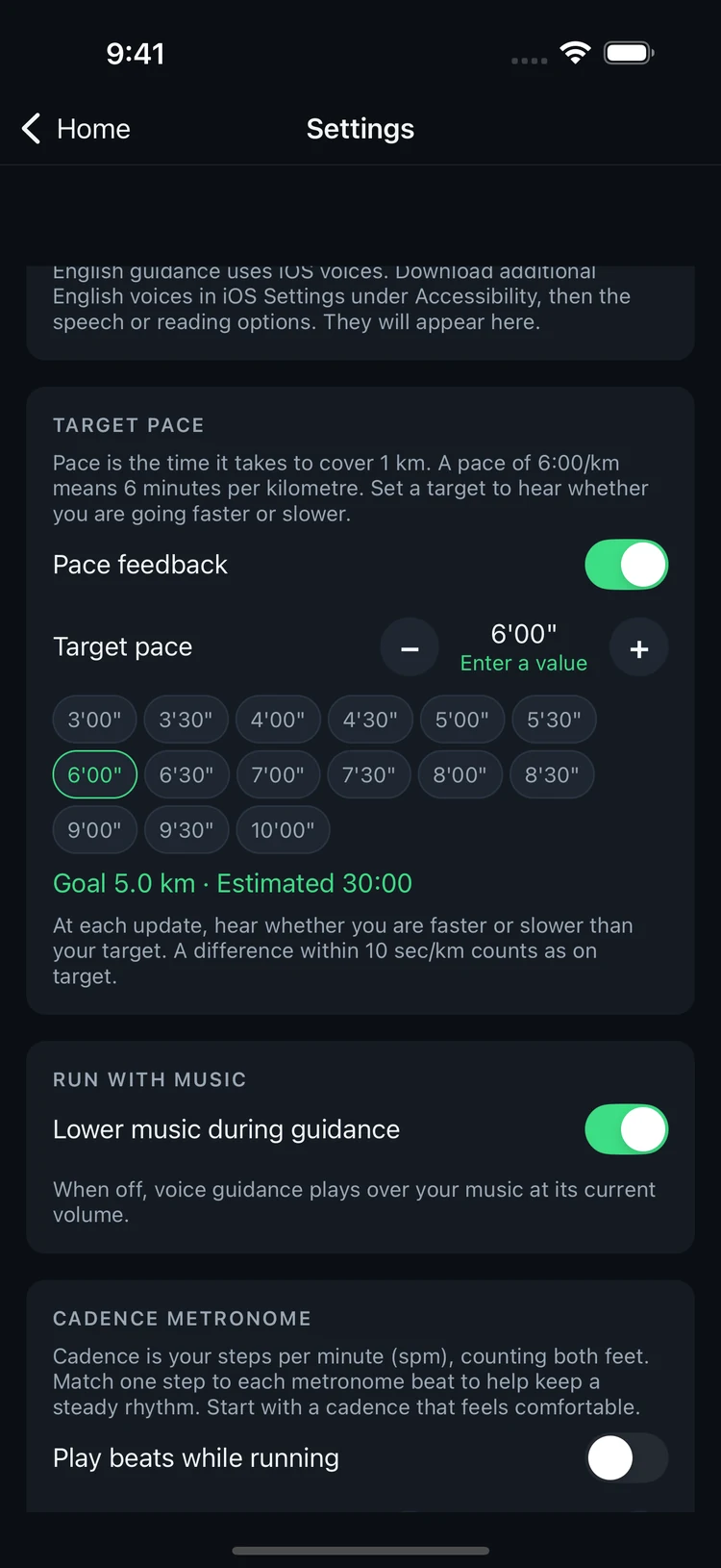
Pace is the time it takes to run one kilometre. Choose from 3:00 to 10:00 min/km in 30-second steps, or enter your own target. See your estimated finish time for your chosen distance.
3:00–10:00min/km · 30-second steps
YOUR EVERYDAY RUNNING PARTNER
Hear your distance and pace as you go.
Let 5km keep you informed, so you can enjoy your run.
$0.99 in the US · Buy once, use forever
iPhone · iPad / English · 한국어
Screens and some features preview version 1.0.1, currently in App Store review.
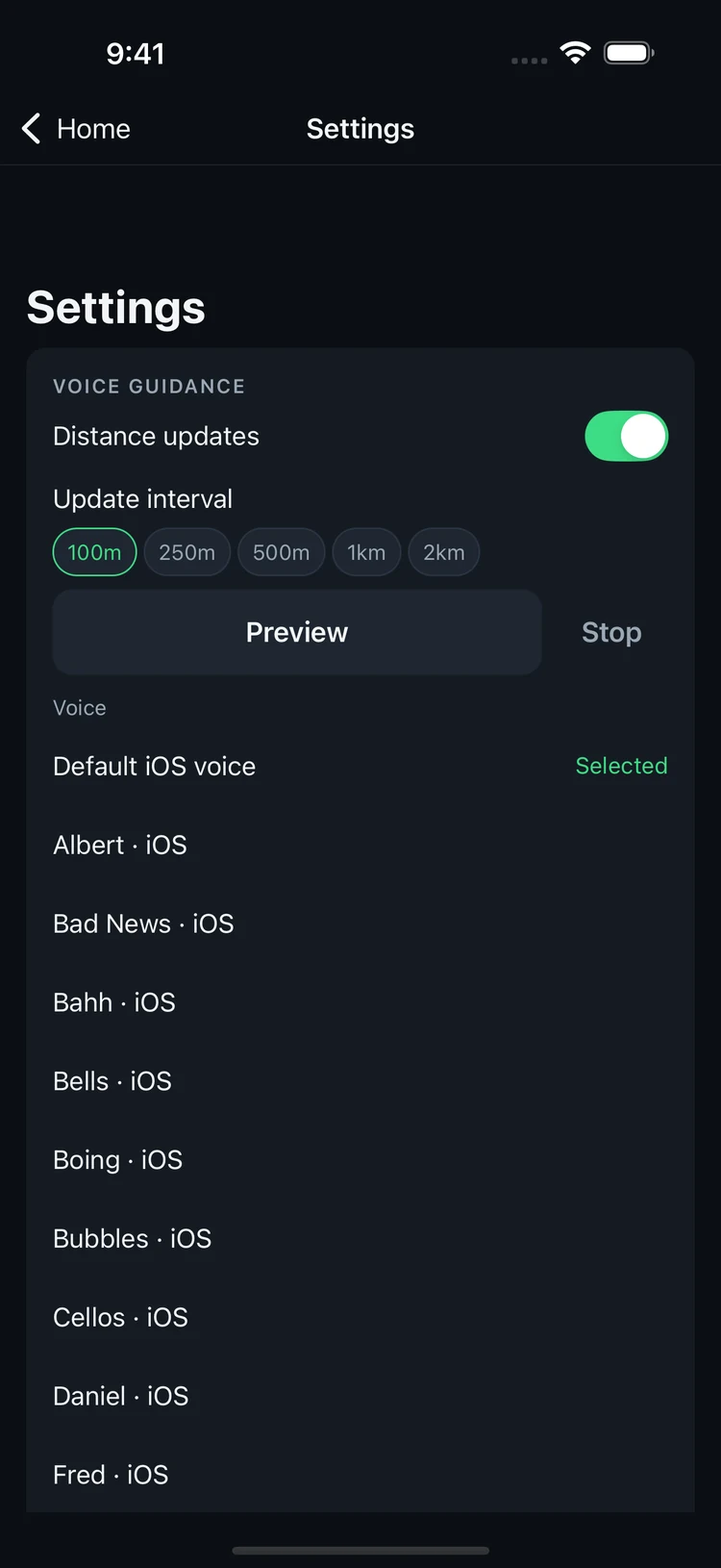
01 / VOICE GUIDANCE
Know how far you’ve gone and how your pace is shaping up. Get voice updates at the intervals you choose, alongside the music you love.
Updates in your ears. Eyes on the path.
02 / YOUR PACE, YOUR RHYTHM
Pace is the time it takes to run one kilometre. Choose from 3:00 to 10:00 min/km in 30-second steps, or enter your own target. See your estimated finish time for your chosen distance.
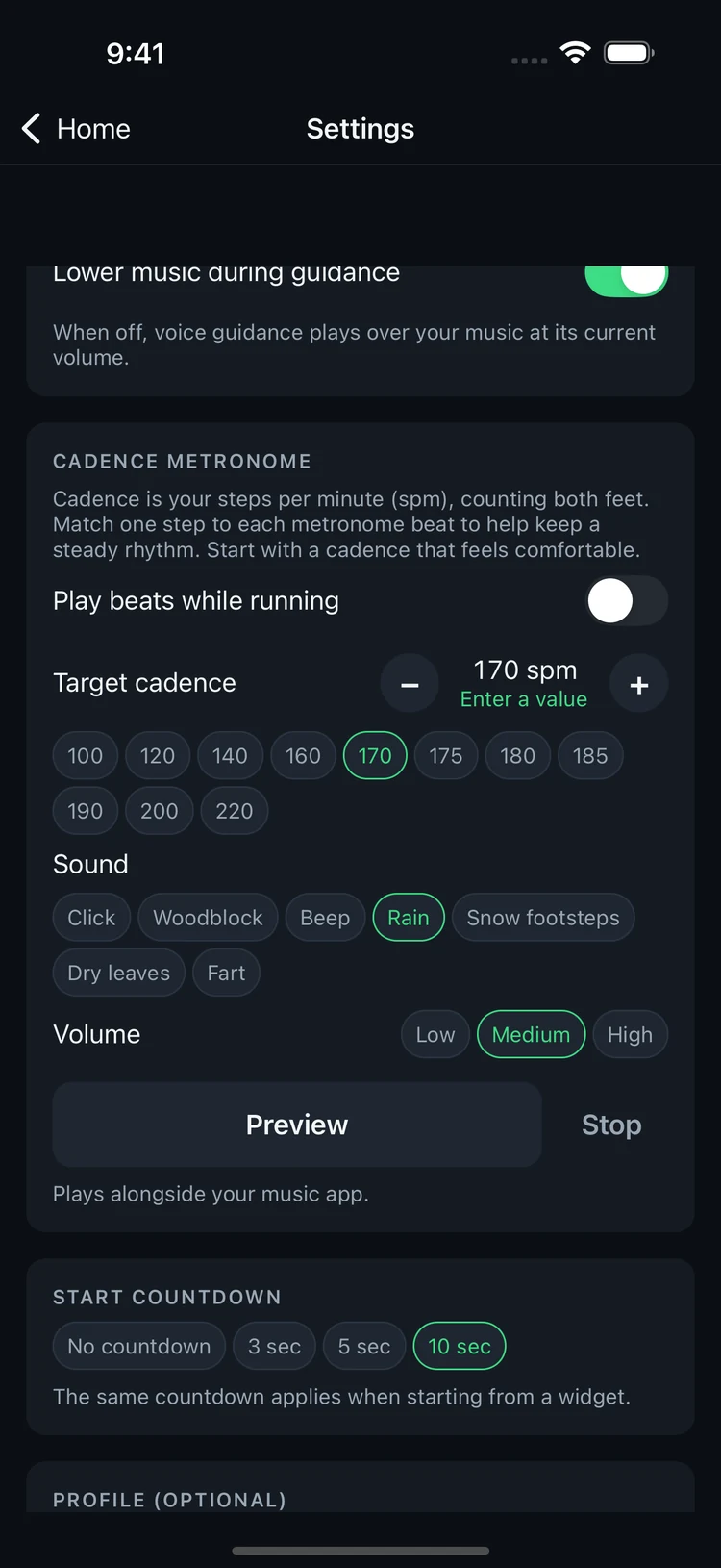
Cadence is your number of steps per minute. Match your footsteps to the metronome to explore a steady rhythm. Adjust the tempo and volume, and choose a sound that feels right.
03 / HISTORY & PROGRESS
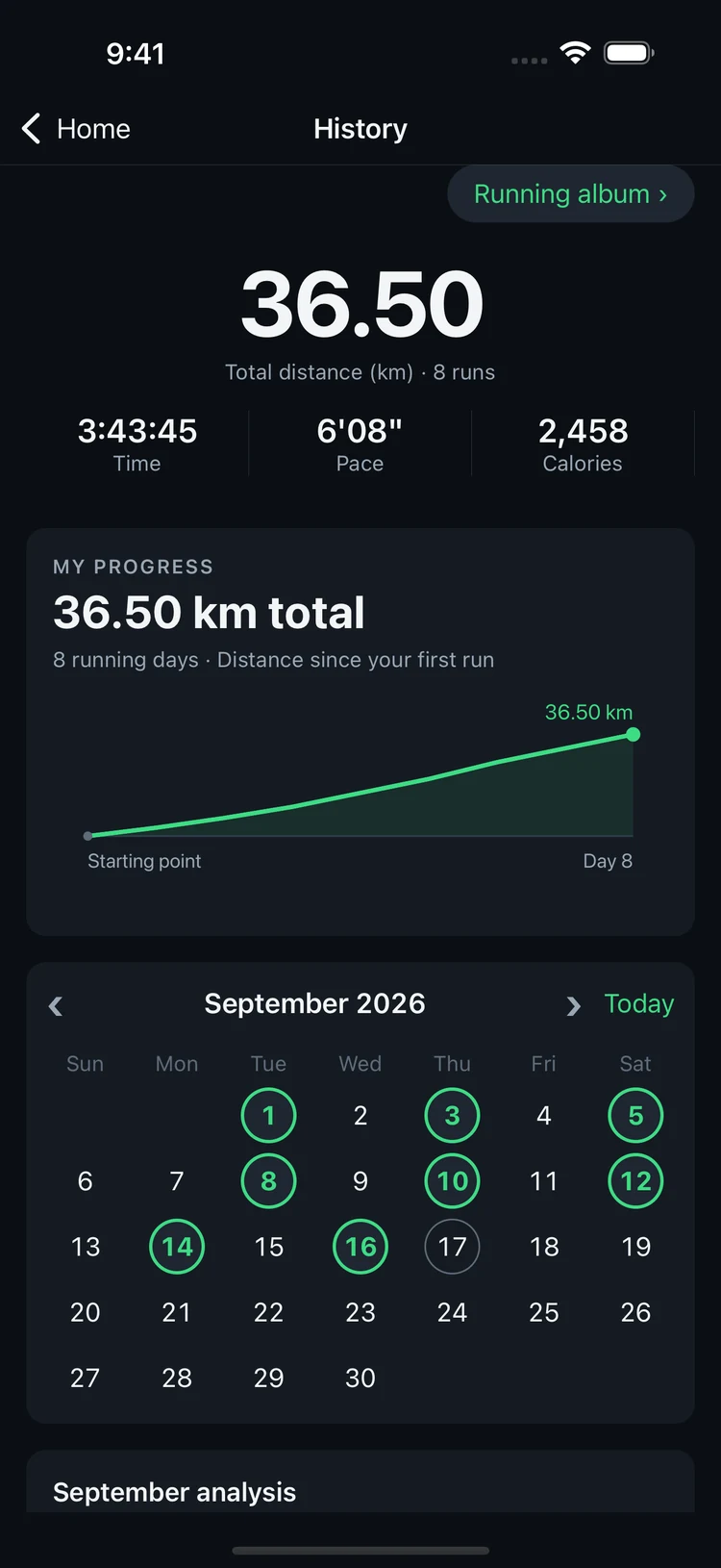
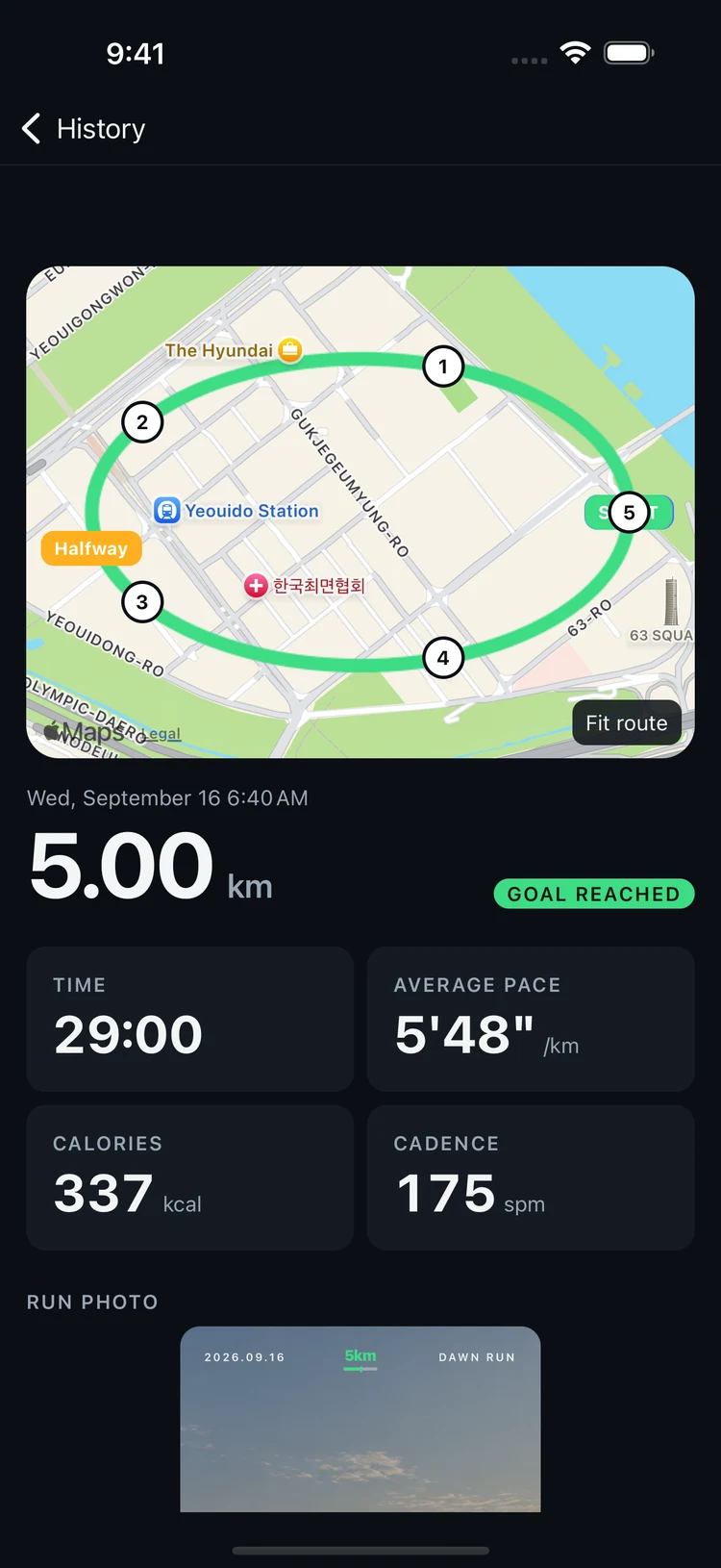
See your consistency in the calendar and cumulative distance graph, starting with your first saved run. Revisit your route and splits to get a clearer picture of each outing.
04 / RUNNING PHOTOS
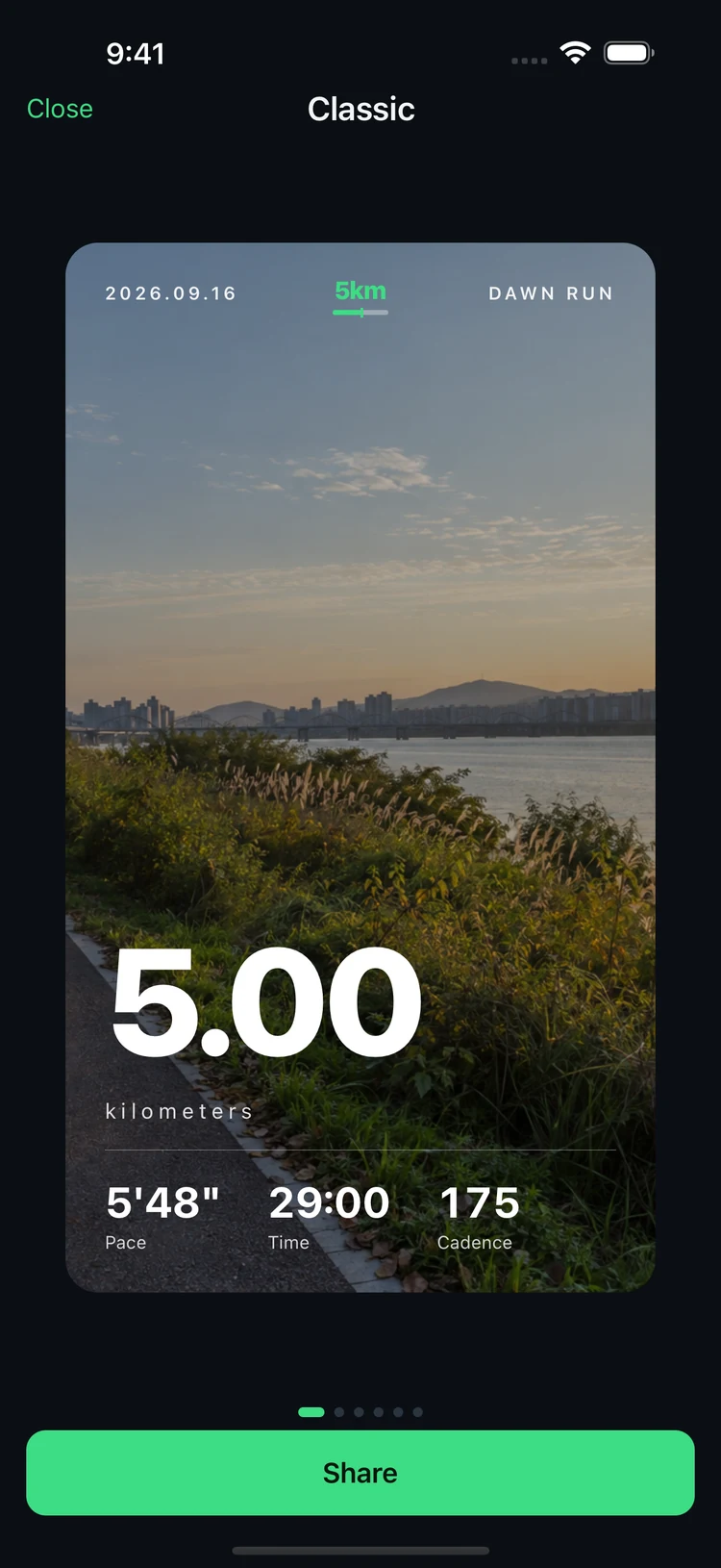
Turn a photo into a memory of your run. Add your running stats with a choice of templates, then save or share your card. Photos taken inside the app stay together in a dedicated album.
History, map and photo screens use illustrative sample data and a sample photo.
READY, SET, RUN.
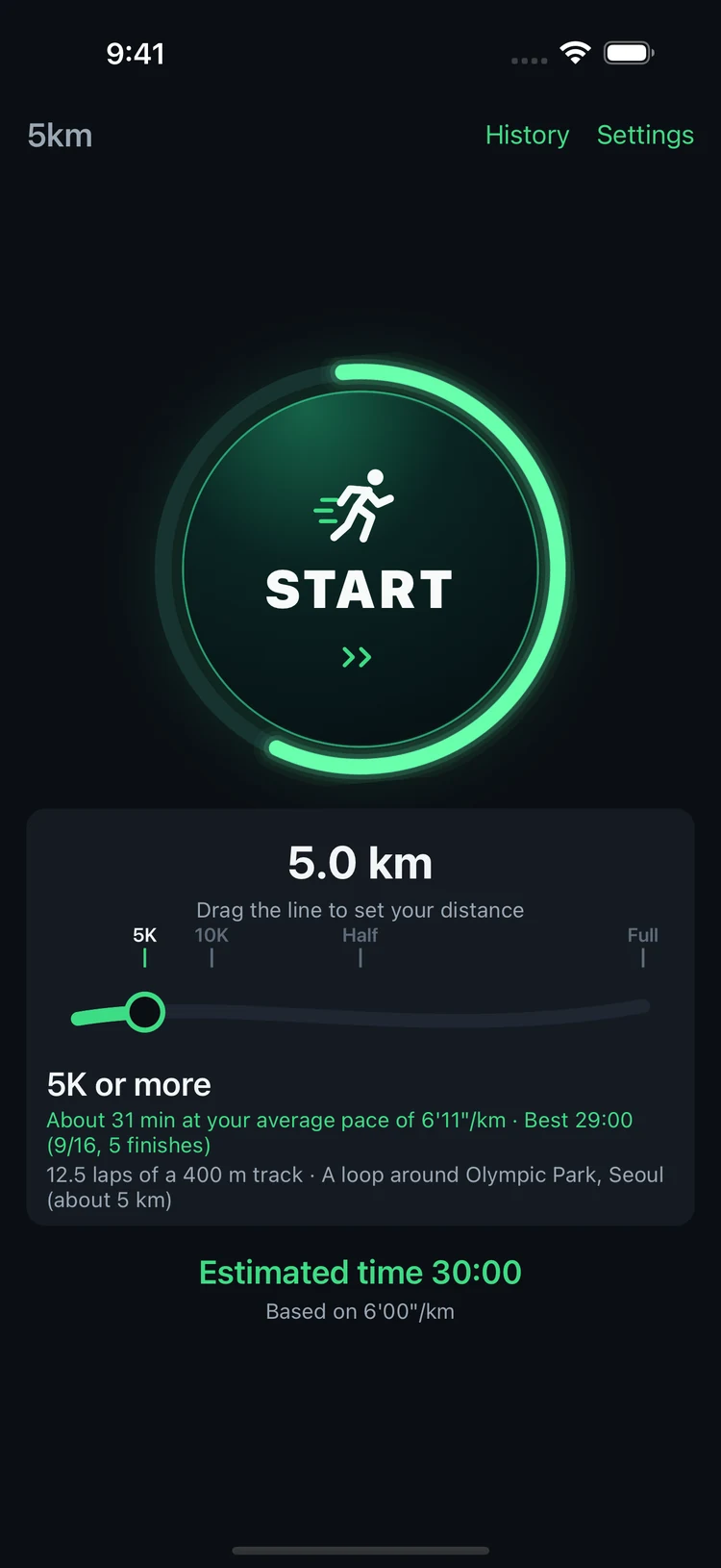
Drag the curved distance selector on Home. Set a target pace to see your estimated finish time.
Tap Start and allow location and motion access. Your route and voice updates continue while you run.
Tap once to pause. Hold End for two seconds to finish. For runs under 500 m, choose whether to save the record.
Yes. Your purchase includes all features, with no ads, subscriptions or in-app purchases. The US App Store price is $0.99. Check your local App Store for regional pricing.
You can listen to music alongside voice guidance. Choose whether music volume is lowered during announcements in Settings. Audio behaviour may vary with your other apps and device settings.
During a run, background location tracking and voice guidance continue. A Live Activity lets you see progress on your lock screen. Force-quitting the app may interrupt tracking.
No account is required. Running records and settings are stored on your device, and your running records are not uploaded to the developer’s server. You choose when to save or share a photo.
5km supports iPhone and iPad, with English and Korean interfaces. Distance is measured in kilometres and pace in min/km. Check the App Store for current operating system and device requirements.
This page previews version 1.0.1, which is currently in App Store review and will be released after approval. Before purchasing, check the available version and release notes on the App Store.
LET’S GO, 5km.
No ads. No subscription. Just your pace.
Download on the App Store$0.99 in the US · Buy once, use forever